Design Process - From Idea to Developer Handoff
case studies
10/22/2025
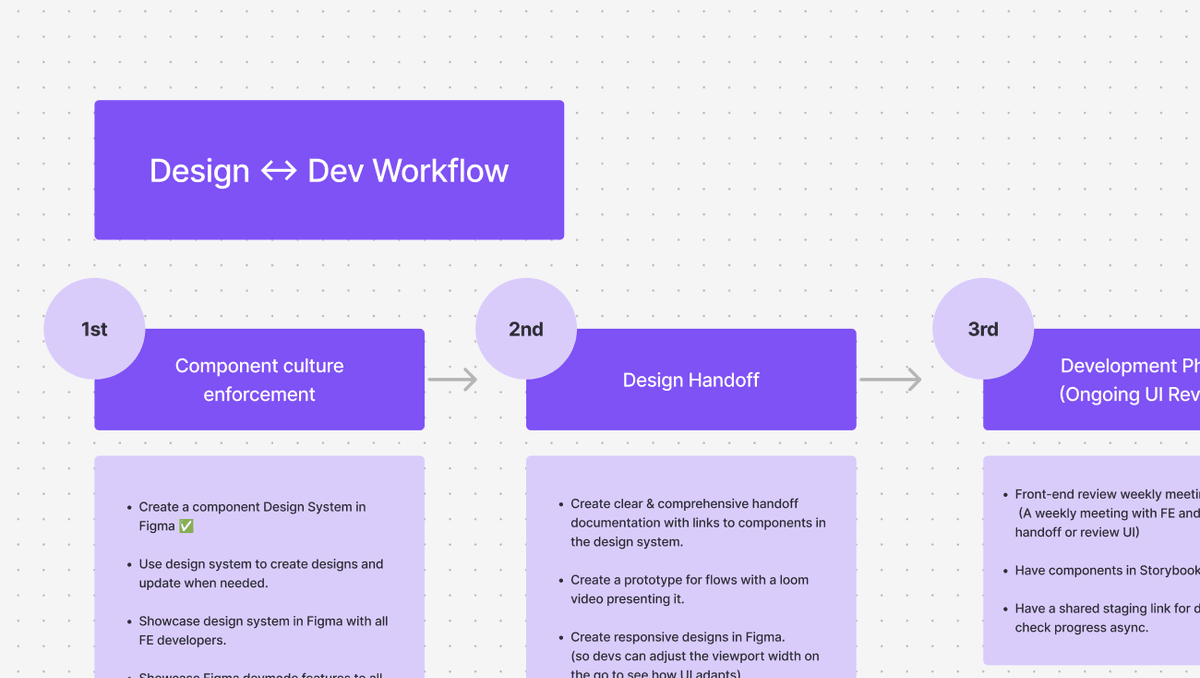
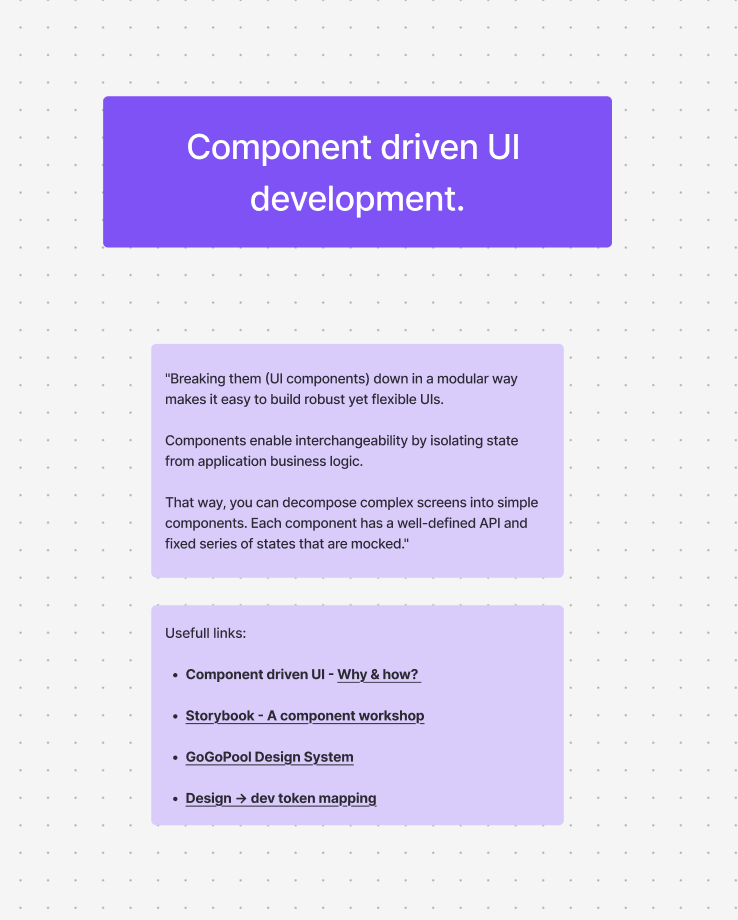
The best approach to handoff
We need to work fast in Web3. Design is one of those things that you can get sucked into if you aren't careful. It's never perfect enough. And perfection in our industry can be a killer of product deliverables. Sometimes you just need to ship it and let the feedback guide the changes that are necessary.
But you still need to have an established flow for hand offs and one that the team can get behind.
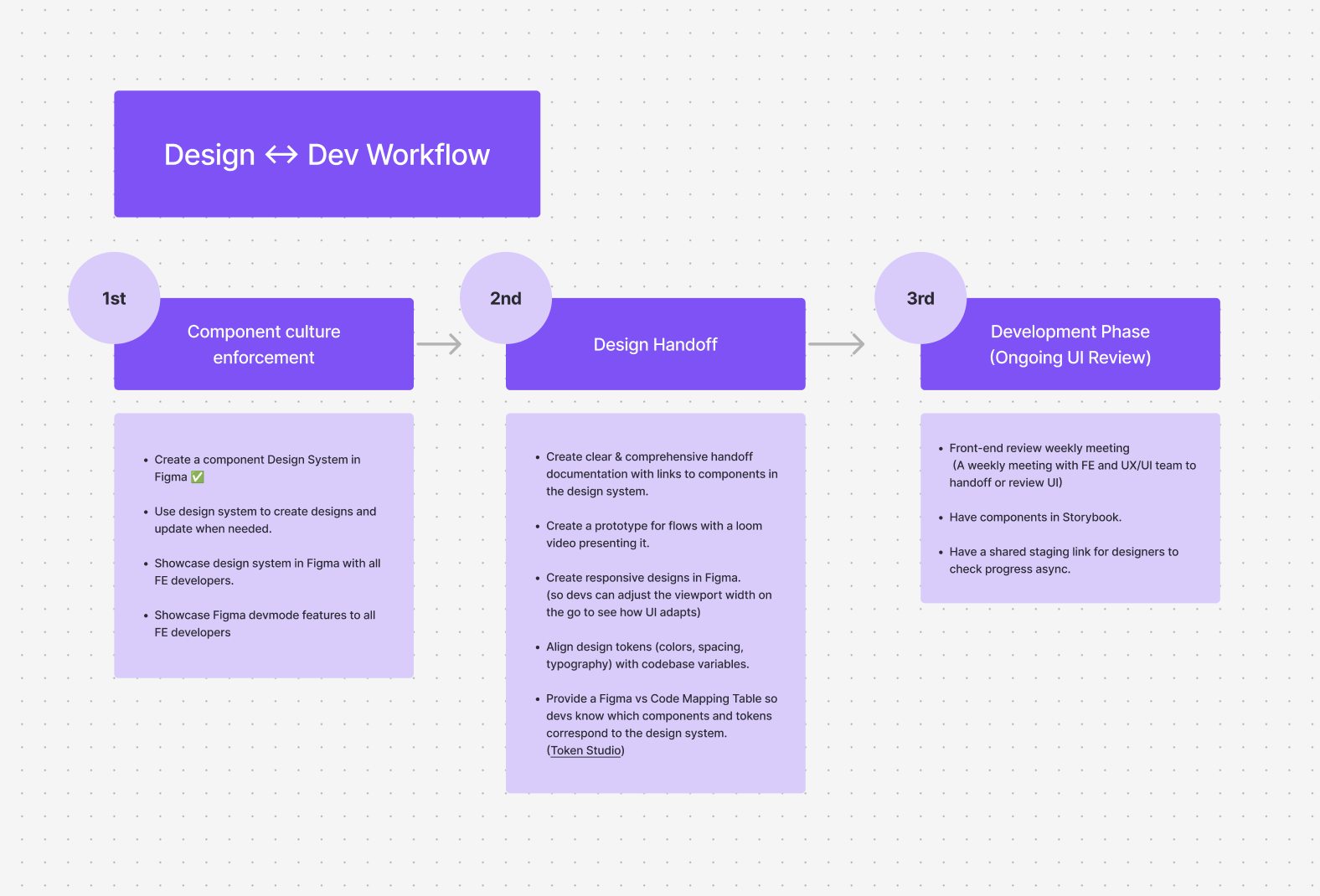
One of our designers, Matheus Lima, put together this proposal. Our team commited to this design process and we were able to get more done in less time invested.
Phase 1: Research & Discovery
Before designing, invest time in understanding the context:
User Research
- Conduct interviews or surveys with target users
- Analyze existing user behavior and patterns
- Review competitor solutions and industry standards
- Identify user pain points and opportunities
Technical Constraints
- Understand platform limitations (web, mobile, native)
- Review existing design systems and component libraries
- Identify technical requirements and dependencies
- Consider performance and accessibility needs
Business Context
- Align with brand guidelines and visual identity
- Understand business goals and success metrics
- Review existing products and their design language
- Consider scalability and future iterations
Phase 2: Ideation & Sketching
Start with low-fidelity exploration.
Rapid Sketching
- Quick paper sketches or digital wireframes
- Explore multiple layout options
- Test different information hierarchies
- Don't get attached to early ideas—iterate quickly
Concept Exploration
- Create multiple approaches to the same problem
- Consider different interaction patterns
- Explore various visual directions
- Get feedback early and often
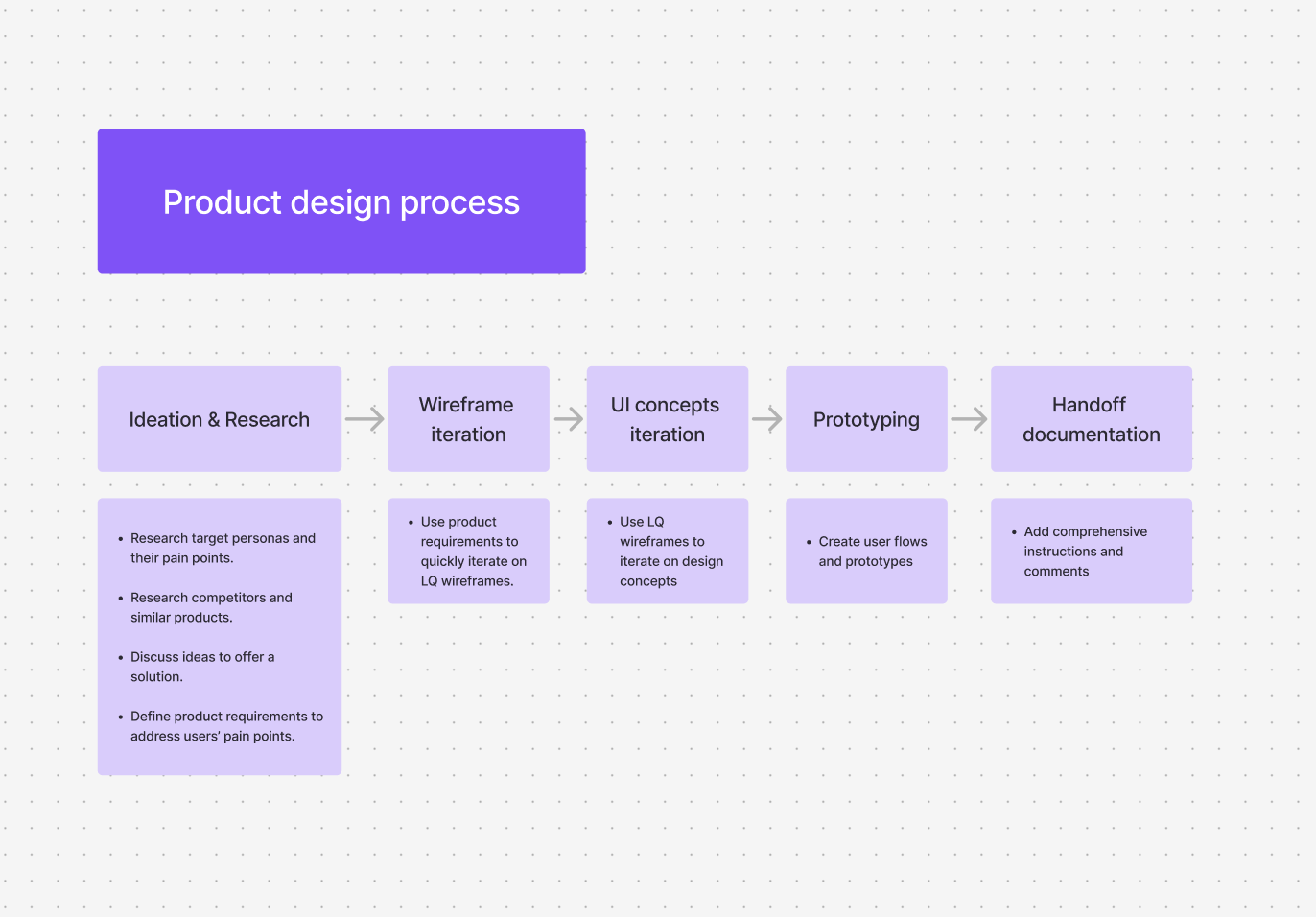
Phase 3: Wireframing & Structure
Build the foundation before adding visual polish:
Information Architecture
- Map out content structure and hierarchy
- Define navigation patterns and user flows
- Identify key interactions and states
- Ensure logical flow and intuitive organization
Low-Fidelity Wireframes
- Focus on layout and structure, not visual design
- Use simple shapes and placeholders
- Define spacing, sizing, and relationships
- Make it easy to iterate and change
User Flow Mapping
- Document the complete user journey
- Identify decision points and interactions
- Map out error states and edge cases
- Ensure smooth transitions between screens
Phase 4: Visual Design & Refinement
Once the structure is solid, add visual polish:
Design System Application
- Use consistent colors, typography, and spacing
- Apply established component patterns
- Maintain brand consistency
- Ensure accessibility standards are met
High-Fidelity Mockups
- Create pixel-perfect designs
- Include all states (hover, active, disabled, error)
- Design for multiple screen sizes
- Consider dark mode and theme variations
Visual Hierarchy
- Ensure important information stands out
- Use contrast, size, and spacing effectively
- Guide user attention to key actions
- Create visual rhythm and flow
Phase 5: Prototyping & Testing
Before handoff, validate the design:
Interactive Prototypes
- Create clickable prototypes to test interactions
- Validate user flows and navigation
- Test with real users when possible
- Identify usability issues early
Design Review
- Get feedback from stakeholders
- Review with developers for feasibility
- Check against accessibility guidelines
- Ensure design meets all requirements
Phase 6: Developer Handoff
The handoff process is critical for successful implementation:
Organized Design Files
- Use consistent naming conventions
- Organize layers and components logically
- Group related elements together
- Remove unused assets and layers
Comprehensive Documentation
- Document design decisions and rationale
- Specify spacing, sizing, and measurements
- Include interaction states and animations
- Note edge cases and special considerations
Design Specifications
- Provide exact measurements and spacing
- Specify colors, typography, and assets
- Document responsive breakpoints
- Include animation timing and easing
Asset Preparation
- Export assets in required formats and sizes
- Optimize images for web performance
- Provide assets for different resolutions
- Include both light and dark mode assets when needed
Communication & Collaboration
- Schedule handoff meetings to walk through designs
- Be available for questions during implementation
- Review developer implementations and provide feedback
- Iterate based on technical constraints discovered
Best Practices for Successful Handoff
1. Start Early Communication
- Involve developers in the design process early
- Get technical feedback before finalizing designs
- Understand implementation constraints upfront
2. Use Design Tools Effectively
- Leverage design tool features for handoff (Figma Dev Mode, etc.)
- Create component libraries for consistency
- Use auto-layout and constraints for responsive designs
3. Document Everything
- Write clear notes explaining design decisions
- Specify edge cases and error states
- Document interactions and micro-animations
- Include accessibility considerations
4. Maintain Collaboration
- Design is not done when you hand it off
- Be available to answer questions
- Review implementations and provide feedback
- Iterate based on what you learn during development
5. Consider Developer Workflow
- Understand how developers will implement your designs
- Provide designs in formats they can easily use
- Consider component-based architecture
- Think about reusable patterns and systems
Common Pitfalls to Avoid
Skipping the Foundation
- Don't jump straight to high-fidelity design
- Take time to understand the problem and users
- Build on a solid wireframe foundation
Over-Designing
- Don't add unnecessary complexity
- Keep designs simple and focused
- Remember that less is often more
Poor Organization
- Don't create messy, unorganized design files
- Use consistent naming and structure
- Make it easy for developers to find what they need
Lack of Communication
- Don't work in isolation
- Communicate regularly with developers
- Get feedback early and often
Ignoring Constraints
- Don't design without considering technical limitations
- Understand platform capabilities
- Design for the actual implementation environment
The Iterative Nature of Design
Remember that design is an iterative process:
- Design → Build → Learn → Iterate
- Be open to feedback and changes
- Designs will evolve during development
- Some ideas won't work as expected—that's okay
- The goal is the best possible user experience, not perfect adherence to initial designs
Conclusion
A successful design process from idea to handoff requires:
- Thorough Research: Understanding users, constraints, and context
- Structured Approach: Following a clear process from low to high fidelity
- Effective Communication: Collaborating with developers throughout
- Comprehensive Documentation: Making handoff smooth and clear
- Flexibility: Being open to iteration and improvement
By following this process, you create designs that are not only visually appealing but also well-thought-out, technically feasible, and ready for successful implementation. The key is maintaining clear communication and collaboration throughout the entire journey from initial concept to final product.